Showing posts with label Applications. Show all posts

Download Facebook for iPad

Written By technotheory on Tuesday, October 11, 2011 | 12:19 AM

Folks, it’s official now! Facebook has announced the official Facebook for iPad app on its site. After several delays and delays, you can finally get the official Facebook for iPad app. The app is available in iTunes store.


The official Facebook for iPad available for download now is similar to the one which was leaked few months ago in Facebook for iPhone’s app code. Everybody had that app until Facebook prevented it by making the latest upgrade for Facebook for iPhone.

The Facebook for iPad app is not only bringing iPad support, it also brings tons of new features: With the new version (4.0) of Facebook app, you can play Facebook games in full-screen mode. It also supports HD video and Airplay, allowing you to watch videos shared on Facebook on your TV via AirPlay using an Apple TV or on other iOS devices.

Facebook for iPad also comes with high-res photos in which you can navigate through easiily by flipping through them like flipping in the photo album. You can also easily zoom into whatever interests you thanks to iPad’s big screen.

Download Facebook for iPad App (Version 4.0) – iTunes link
12:19 AM | 0 komentar | Read More

Download Skype Application for iPad

Written By technotheory on Tuesday, September 13, 2011 | 5:38 PM

For you iPad user, now you can have Skype application for your iPad 2. Apple officially released Skype for iPad. This Skype for iPad came with same features on the Skype for iPhone. With this Skype, you can make a video call, make a video conference, voice chat, chatting, and also make a call to fixed phone and mobile phone using the Skype credit with a less expensive fare.

How to use Skype on iPad 2 :
• Join Skype on your iPad in a few moments or just sign straight in to your account.
• If you already have a Skype account, your contacts will automatically be there on your iPad.
• We’ve made adding new Skype contacts really easy.
• Once they’re in your Contact list, call, video or instant message them in one touch.
• Flick through recent calls and instant messages in your Skype for iPad history.
• Skype for iPad works over Wi-Fi or 3G (operator data charges may apply). Call Skype contacts on their iPhone, iPod touch, iPad, PC, Mac and even Skype enabled TVs.

Skype for iPad obviously will make your communication advanced everywhere you are connected with internet accessibility. This application is for free, and you can download it from the link below :

Download Skype Application for iPad
5:38 PM | 0 komentar | Read More

Top 10 Free iPad And iPhone Apps Of 2011

Written By technotheory on Friday, July 22, 2011 | 1:56 PM

There’re so many application for iPhone and iPad, whether it’s free or paid. In this article, I will give you 10 free and best iPad and iPhone applications in 2011, that you can choose for your iPhone and iPad.

Google Places
Free For iPad
and iPhone

https://blogger.googleusercontent.com/img/b/R29vZ2xl/AVvXsEglHaAS5ymYY3wOrAda3JrarsHKgQhjmCfoIkbF6-6JGc8Z1KQJS06o8WwQziMmzlH5tcdtNVN3jVzHdHTTH_DCYFoUznt4Ghk1j-NmNibEMzs89pOirVOXg1pFhQoPCyAmqBpyfDoyqQo/s1600/apps-iphone-ipad-MTV-Google-Places.jpg

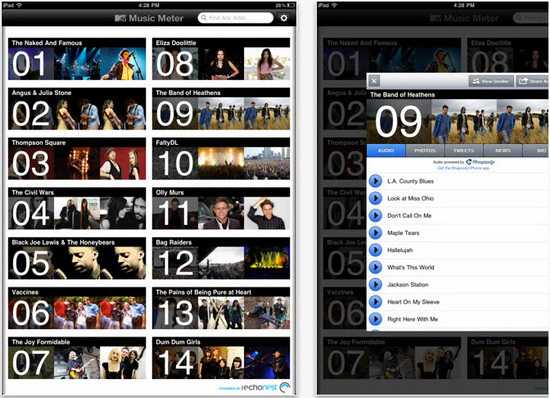
MTV Music Meter
Free For iPad and iPhone

https://blogger.googleusercontent.com/img/b/R29vZ2xl/AVvXsEjaW7Eze1TPffJds7JtHa7XiyYHrlaChZl_wCM8GE-RPb60wX8PXxW0W_6wZ9Ci-7XARdx2_Zs2mpZ0VL7O6wQeQ_1GO4d1-E4I8GuMiCe5orsJw0xf6ykW9yIAf2KZtD7VVltBD8CU7gs/s1600/apps-iphone-ipad-MTV-MusicMeter.jpg

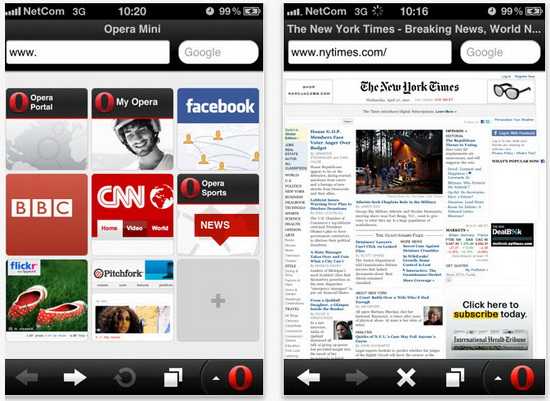
Opera Mini 6

Free For iPad and iPhone

https://blogger.googleusercontent.com/img/b/R29vZ2xl/AVvXsEjk21RfokNKEuLKcefVoES4vl6l1C62v-VRfaKddwXpblQEDd01dumzuxkJIvJesoibNgLcgujMIibZZ8slK8Hafeu-a3qMuvEAdVyUi6Qb7vnVAG0fPxN3bCh1E8ycfXTS5Ov2SF4Y7TU/s1600/apps-iphone-ipad-opera-mini.jpg

Audibly
Free For iPad and iPhone

https://blogger.googleusercontent.com/img/b/R29vZ2xl/AVvXsEifBhPLPPVflo3MlseiOHTwjuTKxQy-NWI64-tqcFKB8vQppRgA_5ADFE2gHkHaCRbmqzzDYnfOAZWHDJwldDxh1wlVv7zcqTKK_Yzby6smcu7MWyZuHezmWQPm9cm1mfcd2q6KO3MpFzw/s1600/apps-iphone-ipad-Audibly.jpg

Color

Free For iPad and iPhone

https://blogger.googleusercontent.com/img/b/R29vZ2xl/AVvXsEirGnEksC0wgPyIUyUIBgq-E5n3z9s13MOTX4TaL6UdcftblzO28yOYGRefV2HfGuJD5R07KYNUmZd3zHhXinAIFMQvHXNcanJCZXkQ18By2irU3LzsgZ2qbFu3DdzFaySluRMGP6XADBU/s1600/apps-iphone-ipad-Color.jpg

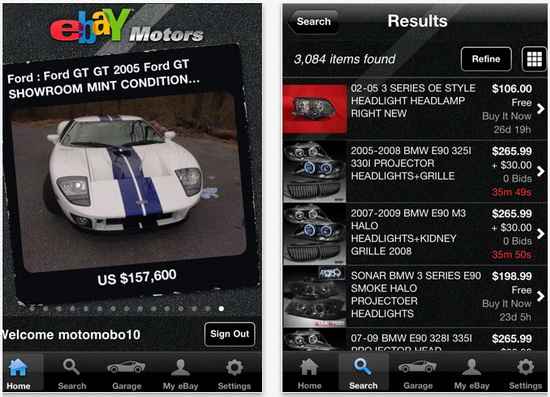
Ebay Motors

Free For iPad and iPhone

https://blogger.googleusercontent.com/img/b/R29vZ2xl/AVvXsEgrGPTwfmYr_nGmotH_3D61yCBoCkzQc3z-SUhW_l117bKZdUt_2ft1Z0OTjRsX4rknskctOJbZY3c8fR9R5EAjGXh6uhBsXvgktAPHVfE3DX6hYvF9NDvu0KnuVssRiHhUGB8pmPe9pl4/s1600/apps-iphone-ipad-EbayMotors.jpg

Photosynth
Free For iPad and iPhone

https://blogger.googleusercontent.com/img/b/R29vZ2xl/AVvXsEjkIi_h6-xVd3Qx1yMtKSZVRB1Xur9nXLXKj1KK-s9jHkaq-2BvWnaQWjgGomrJkLu1B-k8FMUk8gxOP6h1AowpcZJwlntkyxQ1gX1s0fyaVy94W071l2FKIXdnXC8PHFCF9JJMikSC_PE/s1600/apps-iphone-ipad-Photosynth.jpg

Thermo

Free For iPad and iPhone

https://blogger.googleusercontent.com/img/b/R29vZ2xl/AVvXsEh6pLPcxDpGrJkz51Wms5QQ56i7NIkON5zdXdkYYBXSLK90u9y0zmSusA23sGchyMQvXSvjkSuZ87qyRuuVCiyRvDQnqBnsVTCnCAaGHoc0MMtrqNwOsYJiJdrAgajM5DNWOVGUcg5GUzU/s1600/apps-iphone-ipad-Thermo.jpg

Vimeo
Free For iPad and iPhone

https://blogger.googleusercontent.com/img/b/R29vZ2xl/AVvXsEjz3NkIxuAC-rY_aKll9Ls41cltgZ2ct53G5ktN40qDLIdn5RJYGrpD7ghwYif6xux1L2Cu8fn52F7cL8A78PFfSgYhO6IX7caV38EWSsQE0GcPle5BGj50EH7bwKAIJ3FROiXuawPVokc/s1600/apps-iphone-ipad-vimeo.jpg

Angry Birds Season
[$0.99 for iPhone - iTunes link] [$1.99 for iPad - iTunes link]
Free For iPad and iPhone

https://blogger.googleusercontent.com/img/b/R29vZ2xl/AVvXsEgVmw3qUXiRv9dcsMAjOwe2aV1p78w0Lrfg23BKbgaSJ_XaskZfR94Py9fHiIqQrQsiDU3q_UBCLAHVputdEb18DXKFJGzWqtK37mTHw4vZWYDWLl2lnAgVygEAplPWf7aVX3hN-3xm1f4/s1600/apps-iphone-ipad-AngryBirds-Season.jpg
1:56 PM | 0 komentar | Read More

Top J2ME Apps for Java Mobiles

Written By technotheory on Wednesday, July 20, 2011 | 4:54 PM

Most of the time people talk about either of the top apps for iPhone, android or blackberry. But there are a few people that talk about the java mobile apps. There are many peoples that can’t afford smatphones and they still use basic java mobiles. So here i am going to tell you about the top java apps. By using these apps anybody can use a basic phone to accomplish many of smartphone tasks.

https://blogger.googleusercontent.com/img/b/R29vZ2xl/AVvXsEg6uejY3Vk5s9yT-axoZXlr2GmFATiiul2j3DEPMfoPkqYtMtaHFmocC5OikjGe2FMHwy-4CXF3lRNoUCOhTy29s23w1MPKKQrA0Ex62jX1p9P-3a7VWqeXWiN4UarvDuaIc07bcCT9rEA/s1600/nimbuzz.jpg

Gmail

This is the basic java app for Gmail users. It provides better mail experience in mobile phone compare to gmail wapsite. It has better options to manage mail attachments & even if you can view the documents in html mode which format your phone not support. Gmail app is free of cost. You can download gmail app by visiting http://m.google.com on mobile.

Google Map

Google map is a mobile navigation app which supports driving directions, Real-time traffic, Satellite imagery. This Gmail app is also free of cost. You can download gmail app by visiting the same http://m.google.com on mobile.

Snaptu

Snaptu turns your java phone into smartphone. Snaptu turns your favorite websites into ultra fast mobile apps that work on your phone … you can enjoy the best new mobile apps. Fast, easy, and free. You can download snaptu by visiting http://m.snaptu.com on mobile.

eBuddy

eBuddy is a simplified instant messaging app, supporting multiple accounts simultaneously. Feed it your MSN, AIM, Facebook, Yahoo or GTalk details and it’ll sign you in. You can download ebuddy by visiting http://m.ebuddy.com on you mobile.

Nimbuzz

Nimbuzz is also mobile IM similar to ebuddy. You can download nimbuzz by visiting http://nimbuzz.com on your mobile.

Palringo

Palringo is the best IM for java mobiles. It is the better alternative to ebuddy & Nimbuzz. palringo messenger also supports voice messenging. You can download palringo by visiting http://palringo.mobi on your mobile.

NewsHunt

NewsHunt allows mobile users to read newspaper of their choice on the go . NewsHunt is a mobile application through which you can access the latest news of the regional language newspaper on you mobile handset. You can download NewsHunt by visiting http://newshunt.com/hunt on your mobile.

Opera Mini

Opera mini is the fastest mobile web browser. This is best for viewing big websites on mobile phone without any issue. You can download opera mini by visiting http://m.opera.com on your mobile.

Bolt Browser

Bolt is similar to opera in functionality but it also supports video streaming in same browser window. Bolt is best for viewing youtube videos. Its speed is comparable to opera. You can download bolt by visiting http://boltbrowser.com on your mobile.

4:54 PM | 0 komentar | Read More

7 Best iPhone Apps For Graphic Designers

Written By technotheory on Wednesday, July 13, 2011 | 1:54 AM

So, you became a graphic designer because you’ve constantly got design ideas popping out of your head that can make you money. But what do you do when you’re in transit or are away from a computer and can’t just whip out pen and paper?

Easy. Get some graphic design apps for your iPhone. There are plenty of good, inexpensive applications that will satisfy your urge to create when you have no other practical outlet. You can lay out a rough idea, then port it to your desktop programs later for refining. In one fell swoop you will have follow your urge to design and remind yourself why you became a graphic designer in the first place. Earlier we shared iPhone apps to improve your health and some cool iPhone games, hope this apps are also essential for you.

Here are the top seven best iPhone apps for graphic designers:

  1. Font Game : Here you select fonts in order to get up close and personal with them. The idea is to see how the fonts scale up or down. It is literally a game, so you get to unwind a little bit while learning the peculiarities of specific fonts.
  2. Palettes 2.0 : Creating a pleasing color layout is one of the biggest challenges of graphic design. You don’t want to jar the viewer too badly, nor do you want it to be so boring that they won’t look any closer. This app allows you to create a color palette by grabbing from photographs and websites, or adding colors from different color models.
  3. Simple Mind Touch: This app is useful for when you’re brainstorming or need a place to structure your thoughts. You create a flow chart with your thoughts and ideas, then you can color code each grouping. It is an easy-to-use program that allows you to get the ideas out of your head and into the world.
  4. WhatTheFont : This program identifies fonts in photos, magazines, posters and more. If you’ve ever seen a font that you really like and want to use, but can’t name it, WhatTheFont does it for you. Capture the font and refer back to it later when you start your design.
  5. Sketches 2 : A great program for when you need to visually express an idea through drawing. You can write down notes, make diagrams, and make simple sketches. Great for when a quick outline is sufficient for the idea at hand.
  6. Loupe : An awesome app that captures a color and creates a swatch. You don’t even have to remember what that color was you saw somewhere and try to recreate it at home. Loupe saves the color as you saw it, making an easy reference for when you need it.
  7. Paper Sizes : Yes, this is an actual application. Sometimes the memory fails and you can’t remember the standard classification of a size of paper. Paper Sizes is a handy reference guide for those times.

Graphic design is a very rewarding career. Maximize your creativity with these apps, and increase your income as well.


1:54 AM | 1 komentar | Read More

Android x86 2.2 released, run Android on your PC

Written By technotheory on Sunday, July 3, 2011 | 9:14 PM

We all know how popular Android is on the smart phones and tabs. But when it comes to Pc’s there is very little number of people who might have used it. Well if you are impressed with Android you can then try it out right inside your pc. Android has released its Android x86 2.2 version (Froyo-x86) which can be used to run it on x86 machines (normal desktops and laptops). It’s a great opportunity for users around the world to try Android right inside the pc and become comfortable with this open operating system. The greatest advantage of this release that it’s a live, which means that you can run it without installing the operating system. This means that we don’t have to worry about our Windows operating system on the machine since it’s untouched.

This release fixes many bugs says Android, Kernel updated to 2.6.38 version with more drivers and bug fix, 4 times faster performance with OpenGL hardware acceleration improvement, multi touch option added and built in wallpapers.

Android also requests users/testers to report the issues they find when using Android so that these issues can be rectified in future releases.

You can download and learn more: Android x86 2.2 (Froyo-x86 version) live.

9:14 PM | 0 komentar | Read More

Google Video tested on Nexus S, coming soon to an Android phone near you?

During Google I/O, the Mountain View based company brought out Google Video, an online movie rental service. At the time, Google Voice was made available for the Motorola XOOM with Google saying that other devices would receive the service in a matter of weeks, which would take us to the beginning of July.

And sure enough, right on time, the other day Google Video made a fleeting appearance in the Android Market and some eagle eyed observers quickly downloaded the software on to their phones even though it was not yet in working order. Despite that itsy bitsy little fact, this is obviously a good sign for Android users looking for an alternative to Netflix and Blockbuster. After all, who knows the Android platform better, and makes Android apps better than Google?

The UI has a bit of a resemblance to the YouTube client on Android phones, and seems responsive and up to the task at hand. One person with the Acer Iconia A500 updated his tablet to Honycomb 3.1 and installed the app which is running without a problem. While we haven't a clue which Android phones will get first crack at Google Video, it does seem that the video rental service is coming soon to an Android handset near you.


4:04 AM | 0 komentar | Read More

Google+ Android app in the Market

Written By technotheory on Tuesday, June 28, 2011 | 11:53 PM

Google has unveiled their new social layer today, and it is called Google+. The trouble is that it is only open to a select few invitees, and those of us who have been invited are not yet allowed to write about the product in detail. That said, if you are a lucky invitee, be sure to grab the new Google+ app from the Android Market.

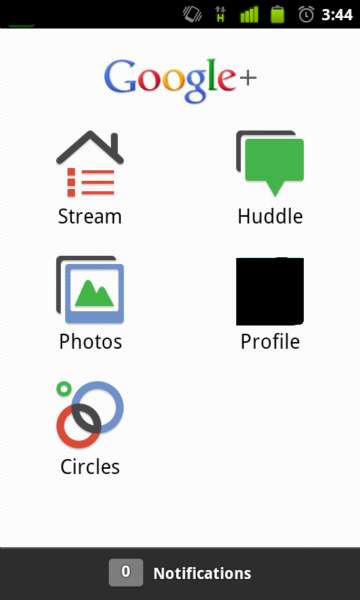
The app includes the basic features of the service including Circles (how you choose who you share things with), Stream (shared items), Instant Upload and Huddle. Those last two are the really interesting features. Instant Upload does exactly what it says and automatically uploads photos and video from your Android device, so you can easily share them with others. And, Huddle is the fabled group messaging system that we have all been waiting for. Huddle looks to only be available on Android and not on the web right now.

https://blogger.googleusercontent.com/img/b/R29vZ2xl/AVvXsEiu1wldtCbs4Z2OPwbaFrKavoapmEYT9CYVO-zM92os_PlkAzQPeUedoN-M26pa3OQVpxgAPvkbxf8dMCLMe0J9iHdEUHv6mL6qrQB7IwEFRq9lseljWjBRikZo-jc1x2hgmSJ3PiEDyCM/s1600/google+android+applications.jpg

Google+ is looking sweet, and we'll tell you more as soon as we can. If you have an invite, be sure to grab the app from the Market. But, if you haven't been invited, don't grab the app because it is useless without a login.

11:53 PM | 0 komentar | Read More

BlackBerry Travel App version 1.1 Available

BlackBerry users will always be move pleased to know that BlackBerry Travel app is updated to version 1.1 and is now available for download on the BlackBerry App World. The application that helps people with their travel, book your hotel, tell the time, and much more.

https://blogger.googleusercontent.com/img/b/R29vZ2xl/AVvXsEioxXJsYLbzPC8rt6o4dF9ytdZMCucCzPxxa8ub5QBrjg-kA-HWFguCYE1GUfuT32aN8DZ14n_xDAfmgxiEoLyC1IVzEHOWa-WiR9gAy-HLSckyRvYlUIajbJAGG1L3oHJNjCnWiGwly9g/s1600/blackberry+travel.jpg

The application that was launched earlier this year was located in February and resulted in five languages ??in 70 countries and downloaded over one million copies. Air Canada, United / Continental, Lufthansa, Hilton, Starwood, Accor, KLM and Travelport: eight industry partners with the BlackBerry ecosystem and travel companies are signed.

If you are the perfect companion app for BlackBerry, look no further. The BlackBerry Travel 1.1 app may be on the BlackBerry App World is now downloaded. More information on the official BlackBerry blog.
5:33 PM | 0 komentar | Read More

15 iPhone and iPad games like Bejeweled

Written By technotheory on Saturday, June 25, 2011 | 9:12 PM

The best iOS games for anyone addicted to gem-swapping - Simple, compelling videogame concepts can provide familiarity along with a foundation for innovation. This means you can pick up and play a game that's largely based on a concept you know and immediately figure out how to play, even if the changes result in a radically different experience.

One such concept is tile-matching, popularised by PopCap's Bejeweled series. Although other tilematching/swapping games preceded it, Bejeweled's online distribution, polish and game design ensured it cemented itself as a leader in its field.

It therefore follows that if you're on the hunt for a match-three game for iOS, you should first go back to the source. With Bejeweled 2 + Blitz (59p, iPhone) , you get four modes, including the traditional Classic and Attack (swap gems, wait for the grid to refill and continue until there are no more matches or, in Attack, you run out of time), Endless (a casual, stress-free mode lacking a timer and ending) and the frenetic, exciting Blitz. The last of those ties in with the Facebook Flash game, and you have one minute to get as many points as possible.

Unlike Bejeweled's other modes, Blitz doesn't force you to wait until gems have settled before you make another swap - instead, you rapidly switch gems and create chains as more jewels fall into the well. Given Bejeweled's relative simplicity and the fact that PopCap's game is so polished, there's little point in considering the myriad clones that litter the App Store.

https://blogger.googleusercontent.com/img/b/R29vZ2xl/AVvXsEgn1AaIUGX7d6dMPJsRvvG2ljzzb4F5uSTWmV05P0Rmr3SCTaiy9oS5q74MusL-bktrLrxIDIAAUl1GHCZTgXzJ5GEOi9k5vHe8itfIMf1vQvNXiGv1Tb6h6Pu-J-bofqyMe1W_U6Y3t5w/s1600/1.jpg

Instead, go further afield, exploring games that expand the basic concept. Piyo Blocks 2 (£1.79, iPhone) appears similar to Bejeweled but has enough innovation to warrant purchase.

Gameplay is based solely around Blitz-style mechanics. Piyo mode has you match a quota of each tile type to advance, while Hyaku levels up when you acquire 100 of any tile. You also get Time Attack, Endless, Three Seconds (make a match within three seconds or your game is over) and Disco (regular board refreshes) modes.

Piyo and Hyaku's timers are too lenient, making those modes easy for match-three aficionados, but the game's fun nonetheless. Avoid the HD version for iPad though - instead of blowing up the seven-by-seven grid, it adds more slots, unbalancing the gameplay.
https://blogger.googleusercontent.com/img/b/R29vZ2xl/AVvXsEhBEQsK1xdxhsgcdvSXStJz59tmfz2LFZToya6R04ewiA3OMbvrd43M0UKaRSvpFzfdEqtX6A1g3n6sP6DArHmenHHWLdM0FaAhTKFuXhgWvk3kreDG5YRlnK9pdHRHuN4m-lXGF0QqBd8/s1600/2.jpg

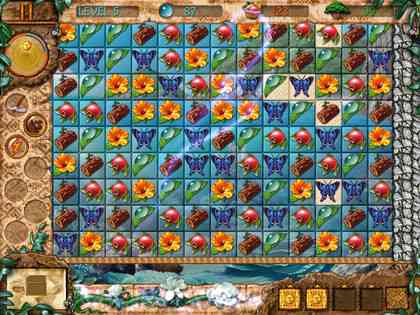
Rather than including extra modes, many match games offer depth through quests. Paradise Quest(£1.79, iPad) tasks you with matching tiles that represent resources that can be used to restore the Galapagos Islands. As you make a match, the board lazily scrolls in that direction, enabling you to explore the large levels and uncover objects required to progress.

For a pseudo-educational game, the tiny wildlife photos collected and static viewable environments are disappointing, but the gameplay's interesting, despite a lack of help regarding how to use objects. (Hint: tap on the map and tap where you want to go when using the vine.)

https://blogger.googleusercontent.com/img/b/R29vZ2xl/AVvXsEiLyBevAlRtNr8sCZ-Gr3yRISaZtfbtyFPOPo2OptA7CrK8mXT_ol2QgynZq_sBASWeqPkjXAc38U9BLS2gyYNhPWY6lWfvOIkgMi8ZgAf8BqMWguUzUxkfmoQbrleIM0bByxq3dIKl5qM/s1600/3.jpg

Around the World in 80 Days: The Game (59p, iPhone) is similar, if a mite simpler, with you completing the famous voyage by moving objects to the bottom of the grid for collection. Plenty of variation in board layouts, special tiles and the game's polish and responsiveness make it a great purchase for match-three fans.

Some quest-oriented games ramp up the role play side of things. Puzzle Quest Chapter 1 and 2(£2.99, iPhone) and Puzzle Quest 2 (£2.99) task you with completing numerous quests in a fantasy world of goblins, spells and demons.

The match-three mechanics are used for one-on-one battles; skulls represent attacks and coloured gems are Mana, which can be used to power spells that inflict further damage on your opponent. Both games have their fans, but we feel they're a bit grind-orientated rather than outright fun, and the sequel is hugely weighty and badly optimised, although it does offer plenty of depth and game time.

If we're honest, we'd sooner settle down with Dungeon Raid (£1.79, iPhone), which distills Puzzle Quest down to its essence. Instead of swapping gems, you match by drawing lines through objects: shields to power up your defences; money to buy new kit; potions for health; and weapons and skulls to attack the latter.

Strategy comes from positioning pieces so you can attack skulls, and the role-play mechanics add a touch of extra depth to keep you coming back. As a bonus, there's no tedious traipsing around maps.

https://blogger.googleusercontent.com/img/b/R29vZ2xl/AVvXsEjwVgrANs0tQPpEgRt8qhMnJg1JewdLcLlSSP7fTKK4Y0s_KsjkV1tvhA-vsaJpvymHHelLsdj2bKDm9NIq1T7n5RpFI1Mgmc2YYvEm0RjFmtgDhNbgm6iaUJ7PQdkBW-_4Xh6ysXABB-M/s1600/4.jpg

Alternate match mechanics are the other major way in which games inspired by Bejeweled have made their mark. Azkend (£1.79 for iPhone or £2.99 for Azkend HD for iPad) uses Dungeon Raid-like line-drawing, but in a rather more sedate, thoughtful setting.

Devil Invasion (59p, iPhone) boasts a hexagonal grid and uses somewhat similar combat ideas to Dungeon Raid but as a means of fending off, castle-defence-style, a string of monsters attacking you at the top of the screen.

Crystal Soul (59p, iPhone) has each match move a character around the grid, forcing you to use limited moves wisely.

https://blogger.googleusercontent.com/img/b/R29vZ2xl/AVvXsEgY2tWCc2UvO1_Mc9D87z14aA44Pn0dwFkT5AYqpvWYxxDMuYqyaHNbvmm0OXRaTn0FM8OZC1xTMVND4NChDuP3YEcw7aMskqFDTcgst016ub4GSIdmehzwbmimaEkiWCxR51djHmc6tq0/s1600/5jpg.jpg

Chop Sushi! (59p for iPhone or £2.39 for Chop Sushi! HD for iPad) makes the single change of having you move pieces to the edge of a board to shift all the others inwards (a simple difference that rapidly made our brain hurt - but the game's fun cartoon graphics kept us hooked).

Some games deftly emphasise the gravity aspect within match games. Toy Balls! HD (£1.19, iPad) has balls bouncing around the place, which you must save from getting zapped by stringing together matches, Dungeon Raid-style.

https://blogger.googleusercontent.com/img/b/R29vZ2xl/AVvXsEh4p02EVEn4LRqi_2sPdE69Iz7i-EYm8fCAxMCmKBR9GENxMa6g1YRI0f_csFvdXgl91m0mLSfsdn_sX_76Ji7nJ9dq7bJL6cS3-tss11LKAv1BgthQZ32RsXaGPIKqGta4AArurg87Gtc/s1600/6.jpg

Linkoidz (£1.79) has you grab an alien from the pile atop your shield and fling it back to make a match. Take too long and the shield fails, resulting in your spaceman becoming a snack for the ravenous aliens.

https://blogger.googleusercontent.com/img/b/R29vZ2xl/AVvXsEhlsjW_E_FDpUQItQan4sc5RD7lGi0e47BR5wj-3BfFACgh7o8ufegArBVFqmGH2VFxshNq2U63lGMYu36i9TerOh7vFewY4hfqpuWwhTkEhOesICXog3ImTlzDV_sdjeHIFH80cbVUwno/s1600/7.jpg

The extremely pretty, superficially relaxed Liqua Pop (59p, iPhone) brings you more down to earth, dragging together coloured bubbles of liquid that encourage a frog to climb a stem when they burst.

https://blogger.googleusercontent.com/img/b/R29vZ2xl/AVvXsEhqDXFpQm2gkaPUk35jKhmFs6gRxcWHdNaIwcHVDchiQ3Bk0e4DaiUG_RU9MKw_uim9_8o9xT5DIuu-DeDRIRkkMlwEw9oqPvMeTzBO9poz_mePwJUIM93hywIs2tAoQj73aJBkMTXphsY/s1600/8.jpg

Finally, the amusing Greedy Bankers (£1.19, iPhone) emphasises gravity within match games by doing away with a well-orientated play area entirely - instead, the grid is viewed from above, and you drag like-coloured gems together to create larger, far more valuable ones, with the aim of making enough cash before the timer runs out.

It's amazing to see how the basic concept of match-three games has been expanded and tinkered with to create so many familiar yet varying games - and the indie-friendly nature of the App Store ensures many more will arrive over the coming months, which is sure to make even the most ardent match-three fan happy.

As for the games covered here, they're all worth considering, but because we've mentioned more than usual this issue, our shopping list only features the cream of the crop.

9:12 PM | 0 komentar | Read More

Manage and Control Android Smartphone from PC

Written By technotheory on Friday, June 24, 2011 | 12:59 PM

Android smartphones and tabs are gaining popularity each and every day, so is the when it comes to Android apps. In this post I will explain about one such app which can make our life easier.

https://blogger.googleusercontent.com/img/b/R29vZ2xl/AVvXsEiIsaxBAG3dQxxZ8B8Cf5bvsxrxHN2hPVR5gnh3NKCRQo86_EpSagM9ABettxarxGAbjPytPO56LAtvGBBkHa8WgTRvZXFBpOp_ex8mRZtOtGsgXHliTQNDSZh3yapTqPg5zXRJ0c1sFwQ/s1600/mobile-desktop-android.jpg

Remote Web Desktop one such app, with this app you can access and manage your Android phone/device from your pc like a remote desktop connection. Some features and functionalities of this app are as follows.

  1. Send and receive SMS/message right inside your pc.
  2. FTP Explorer to transfer files.
  3. Use your smartphone cam as system cam /or access your phone cam from PC.
  4. Screens capture option.
  5. Add /view wallpapers and media from PC inside PC to your phone, also save wallpapers and media into pc.
  6. Check the complete list of Files inside your device with File explorer.

Remote Web Desktop uses secure protocol to connect to your pc, all you have to need to have is a Wi-Fi connection and no installation is required on the pc to use this.

See the below video for more info.


You can grab this app here: Remote Web Desktop App. (Free and pro version available)

12:59 PM | 0 komentar | Read More

iBuildApp for free and Easy Create Android/iPhone Apps

Written By technotheory on Wednesday, June 15, 2011 | 5:00 AM

If you always wanted to build Android app, but no idea where to start, you’re lucky. iBuildApp has just released a new Android App creator called the Android Builder. As a web-based builder, there is no need to download all the data to begin with, plus the WYSIWYG (what you see is what you get) interface makes it easy to do the work. You do not go to Java or to learn a programming language to build only to your application.

https://blogger.googleusercontent.com/img/b/R29vZ2xl/AVvXsEhpsLlsM6oeWurkAfjG9Dd51_5oj08U4iKgTfqsmJd0_tMbVWxlCqebQgnyzKX6VmcGaoJsXFPjCjTQ_Ojn6uA5qFpGLoasKF8MXA8Ud4nP4Mp_JA0W1nKAmYBBbHpP4100mFl5UHEVP4A/s1600/best-android-apps.jpg

You can use simple applications such as menus, informational programs, guides, interactive books and so on. Even simple games are possible if you have an idea and a plan to find out how you did it. Go a head to iBuildApp’s website for more details.
5:00 AM | 0 komentar | Read More

Apple iMovie for iOS updated Available

Written By technotheory on Wednesday, June 1, 2011 | 11:52 PM

For people who edit movies on their love for IOS devices, we have good news. Apple has just released an updated version of iMovie for IOS and brought some new features and some bug fixes that are useful, fun and versatile app on the iPad / iPhone / iPod Touch. The update brings the app up to version 1.2.1 and has the following new features:
  • Audio plays from your HDTV when using the Apple Digital AV Adapter.
  • Video plays full screen from Marquee to your HDTV when using the Apple Digital AV Adapter.
  • Resolves some cases of missing media in projects.
  • Provides more accurate clip grouping by date in Video browser.
  • Fixes an issue where a project’s background music would not fade in or out.
  • Additional performance and reliability improvements.
The new improvements, especially in the Apple Digital AV Adapter department is a lot of users who like to see their work on an HDTV, would not the difficult process of storing, processing and transfer to an external device, before sharing. Go to the Apple App Store to grab the update now, or $ 4.99 purchase, if you do not have this application.
11:52 PM | 0 komentar | Read More

GarageBand for iOS updated Available


People who like to creating music on the go while using the iPad will be glad to know that only the Apple GarageBand app updated for IOS devices. Punching the app version has up to version 1.01, the latest GarageBand for IOS:
  • Support for audio output over AirPlay, Bluetooth devices and HDMI with the Apple Digital AV Adapter.
  • Import of AIFF, WAV, CAF audio files and Apple Loops (16 bit, 44.1 kHz).
  • Allows copy and paste of audio from supported apps into GarageBand.
  • Addresses occurrences of GarageBand freezing while playing Smart Instruments.
  • Improves overall stability and addresses a number of minor issues.
Support for the import of new audio formats and copy and paste audio from other applications are certainly the app a lot more functionality than ever before. The new methods of audio output is also provided with their music much easier too. Go to the Apple App Store to the latest version of GarageBand for iOS now or buy for $ 4.99.
11:42 PM | 0 komentar | Read More

ooVoo Video Chat App Available for iPhone

Written By technotheory on Monday, May 30, 2011 | 10:01 PM

If your want to make video call, you have a whole plethora of options to choose from on your iPhone. There are FaceTime, which comes with the phone, and then there’s Skype, Tango, Yahoo, Fring and so on. Most of these applications can do what no facetime – to chat over 3G and other devices.

But not many applications you can chat with computer users, and even fewer will chat with multiple users. Enter ooVoo. While started some time ago for desktop clients ooVoo is very similar except that a much younger Skype user base in comparison to the VoIP giant features.

According to an interview by GigaOm, more than 57% of ooVoo user base is under the age of 25 and a majority of this figure is under 18. But that’s not what makes ooVoo special – the fact that the support for up to six different users simultaneously. If you’re a fan of video conferencing in large groups, ooVoo is an app that you should consider, especially if all your friends have phones with cameras to and prefer to use their desktop computers. Download the iPhone ooVoo app from the Apple App Store
10:01 PM | 0 komentar | Read More

JuiceDefender, Increase your Android battery life

Written By technotheory on Sunday, May 29, 2011 | 2:52 AM

A lot of convenience provided to users android, available a variety of applications to maximize the use of android, but sometimes, due to our activities lead to wasteful use of battery. It’s most important to mange the power use age in smartphones since lots of applications and services run on background which can engulf a lot of power.


JuiceDefender helps in extending battery life by intelligently managing devices like 3G/4G connectivity and Wi-Fi which are battery-draining components of Android.

JuiceDefender app has user friendly interface which you can customize and save even hours of battery life. Watch the video below.


You install this app or learn more: JuiceDefender app.
2:52 AM | 0 komentar | Read More

New Firefox for Android beta launches

Written By technotheory on Monday, May 23, 2011 | 3:29 PM

First beta version of Firefox to land on the OS - Mozilla has made available for the first time a beta version of its mobile browser for Android devices.

Called, unsurprisingly, Firefox Beta, the new app shows off a version of Firefox 5 which is still in development.

The beta offers a load of new features, including improved load speeds, better panning, improved compatibility with SwiftKey and a better display of images and video.

More add-ons

Mozilla has also revealed that there are now over 150 add-ons for Firefox for mobile, with 100 of those compatible with the latest beat version of the app.

This makes sense, considering Mozilla is using the same browsing engine as its desktop to power the mobile app.

The new app also adds support for over six menu items in the Android Menu and images downloaded to the Android Gallery are now immediately visible.

https://blogger.googleusercontent.com/img/b/R29vZ2xl/AVvXsEhzCouG7rlN4IwSIiuVpTGRyo4ZoXR2opOBG-TImuHYCgaQ-r40oaPdujE9JSSxRuxp2Ewx4UFmFTxG92jxSh7pJ461_ImmxxaozPbYpV6GFhGJ1QO_iAUDzqR0cSNjypD2auDhOeVwdcE/s1600/firefox-android.jpg

If you have an Android device running on Android 2.0 or higher, then you can go to the Android Market and download the app now.
3:29 PM | 1 komentar | Read More

Updated Apple iPhone app to allow users to custom-order a Mac

Written By technotheory on Saturday, May 21, 2011 | 7:44 PM

As part of the Apple Store 2.0 makeover, the store's iPhone app is about to change. Speculation is that the new app will allow users to custom-order a Mac like you can now on the store's web site. Besides configuring a Mac to your liking by picking your choice of a processor, memory, hard drive and other hardware selections, you should also be able to make a one-on-one appointment, add AppleCare or order a printer. Right now, the app allows you to order only a stock configuration of a Mac. The revised app is expected to launch tomorrow.

The Apple Store 2.0 overhaul is expected to replace paper price signs with Apple iPad 2 displays. Store workers will have a new RetailMe app to work with as well as being issued an iPad 2 to use in the store.

As far as updating the Apple Store app for the iPad, it is expected that Apple will keep the status quo on the tablet due to the device's larger sized screen which makes navigation on the iPad a lot easier than on the Apple iPhone.

https://blogger.googleusercontent.com/img/b/R29vZ2xl/AVvXsEiB6cjqMniqVL4_E-mhw6V-JTDtlVpqcUfbRQWZXozZl-6-4K39uEW5XHegaiWe2JH6b_CutB3HDRdSS5nDdlzjBfTIaSSfiZZ8lnKhNzfb5pUtNyWsSpj0aJmtZSry9j_nTVeJXOJWroA/s1600/applestoreapp-lg3.jpghttps://blogger.googleusercontent.com/img/b/R29vZ2xl/AVvXsEivMPWtlFkzXcbEbMVDwbrxLg1x7yKQ3rut4ZMMHlQX5-IoMCXrCGyxKTyukW7NlTN6A_oFv6W-fepjcpJNjtbjuFVttwVm1OmFZXMNE_FG52SXlJsHG5eZvsAhCK2pay8wx8hHoYbL_Ac/s1600/applestoreapp-lg4.jpg
7:44 PM | 0 komentar | Read More

Faster File and Photo browsing on Android in SD Card

Written By technotheory on Sunday, May 15, 2011 | 7:15 AM

On Android Smartphone, we often feel the system works slowly and while browsing gallery and other files on SD card. This is because the cache size is smaller due to failure, slow loading. XDA Developer forums have an application that tweaks the cache size Android filesystem on SD card speed. SD increase for the parameters in a file (requires root access) to the size of the cache memory management.

By default, this value is set to 128 KB, but it turned out that changing this value in KB 2048, the benefits that optimizes read / write speed of our external memory.

Open the application, it asks for the super-user privileges. The grants, including a sliding screen with the movement of the cache size changes. It is recommended that the 2048 RD and press the orange logo to set.

This setting will automatically restart after the box set infront like any boat, so these changes will be made after each boot.

Personally I found this app very useful to the power of Android through taxes faster browsing and a photo gallery app. Download Speed Increase from Android Market.
7:15 AM | 0 komentar | Read More

Qik Video Connect for iOS and Android

Written By technotheory on Thursday, May 12, 2011 | 12:46 AM

Qik team launches the newest version of its popular mobile video telephony application called as Qik Video Connect, the cross-platform video calling capabilities (up to VGA) Qik between IOS and Android users. In just words, you can create a IOS-to-Android or Android-to-IOS Qik video with video telephony to Wi-Fi, 3G and 4G connectivity.

Besides cross-platform video chat, which are very powerful Qik app, you can also video-mail (free of charge until June 1, 2011 only) and instantly share precious life as it happens with friends and family with the release of live video social networking sites such as Twitter, Facebook, YouTube and etc.

https://blogger.googleusercontent.com/img/b/R29vZ2xl/AVvXsEg_vLpzdmvt9saTVXwkoHVvyweTr1pqNCgt1FtxeOJvHPvU7Yl7h09JIn5LbEpZ9ddc1Esm9fhxS0DWJBIyfg3wKLm9bpV8NQ-qRkj7OfgPGMrA7LoHKc1xQj4DOkPZ5uxxwi8UbGH3wWk/s1600/Qik-video-chat.jpg

The latest version of the mobile video terminal application currently supports nearly all smartphones 2.1-2.3.3 Android, iPhone, iPad 2, back and forth generation iPod touch. Unfortunately there is no support in the operating system Android 3 combs for now, expect more of the mobile devices in the near future.

Qik Video Connect is now available as a free download from Android Market and Apple App Store as Qik Video Connect Plus for iPhone, iPod touch (IOS version is free for a limited time – this week has elapsed since the normal price of $ 2.99 Promotion).
12:46 AM | 0 komentar | Read More